MailArc
MailArc pulls a mailbox down over its provider's own API, keeps the original message bytes on disk, and writes the graph that email already carries — senders, recipients, threads, labels, attachments — into a database you can query. It runs on your own machine. There is no account to create, no server to sign in to, and nothing is uploaded anywhere.
Ground truth, not guesswork
Email headers already describe an exact graph: who wrote to whom, what belongs to which thread, which labels applied, what was attached. Nothing has to infer it, so nothing can get it wrong. MailArc reads that structure straight out of the messages and stores it beside the bytes it came from.
The original bytes, kept
Every message is written to a content-addressed store exactly as it arrived. The archive is the mail itself, not a rendering of it, and it can always be read back.
Import twice, write once
A message's identity comes from the message. Re-importing a mailbox creates no new nodes and no new edges, and an interrupted run costs one fetch.
Nothing disappears quietly
Every skipped message leaves a row saying why. There is no silent exception handling anywhere in the import path, and no place one would fit.
Runs on a laptop
One SQLite file, a blob store on disk, and a graph server the desktop app carries with it. No Docker, no Homebrew, no database to administer.
Four kinds of source
Each provider sits behind the same interface, so the import engine does not know or care which one it is reading.
Over the Gmail API
Read-only OAuth, with the consent round trip handled on a loopback address. Covered in detail below.
Any mail host
iCloud, a Gmail app password, or your own server — over TLS, with a server, port, username and app password. No consent step at all.
Over Graph
Delegated or app-only, against an Entra app registration you create once per installation.
A folder of .eml
Anything exported from another client, an mbox split into files, or a maildir. The credential is the directory path.
Search, and what the graph shows
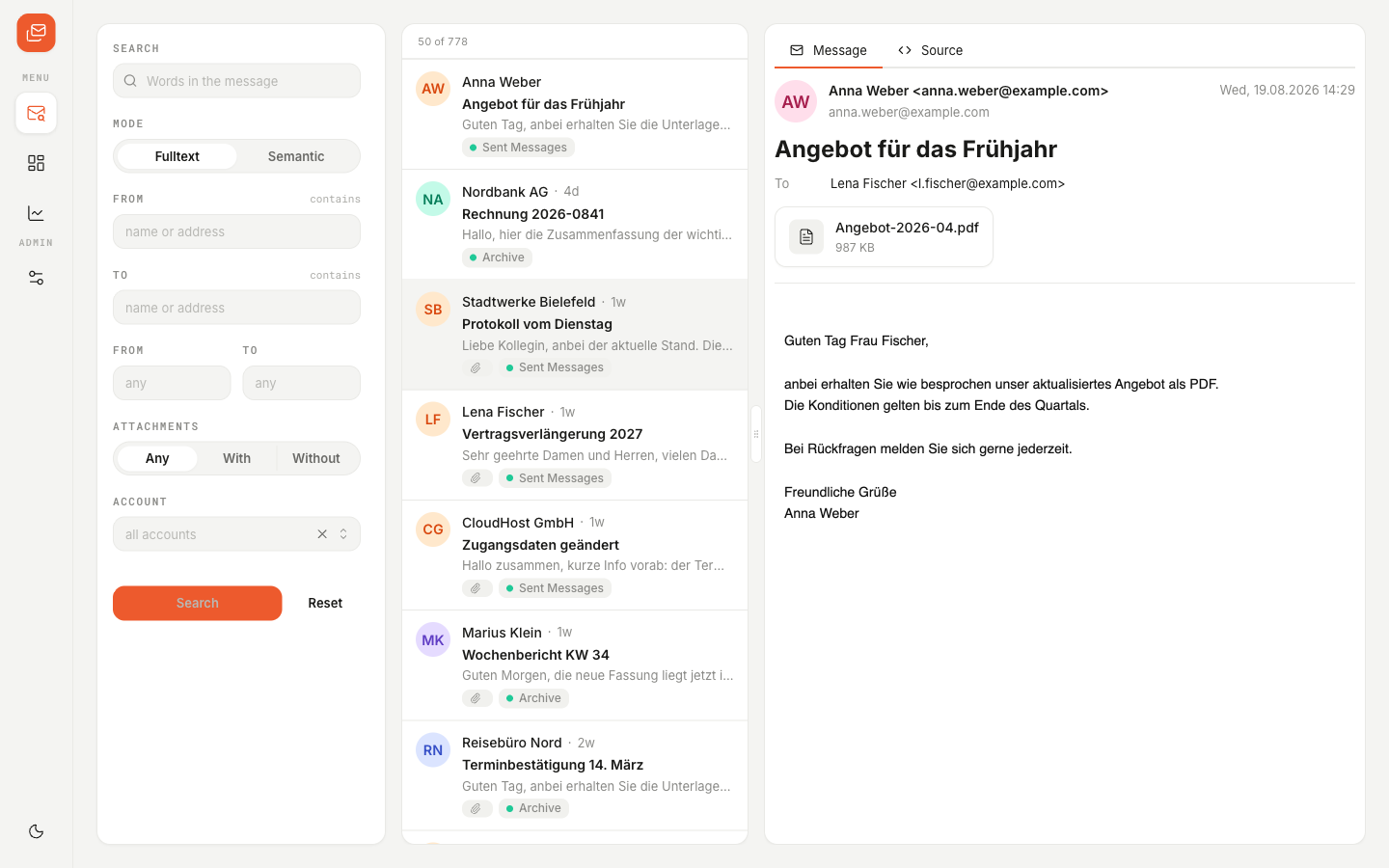
Full-text search runs over the archive offline, filtered by sender, recipient, date range, attachments and account. Three deterministic analyses run over the graph: who is written to together, which messages belong to one project, and which are sent again and again with the same wording. An optional embedder adds semantic search; it is off by default.
No language model writes to the archive. Email already carries an exact graph, and an extraction step would only lay a probabilistic layer over ground truth — so the import is the only thing that writes. A model can read the archive at query time through the optional MCP server, which exposes read-only tools and nothing else. That rule is enforced by a test, not merely stated.
What MailArc accesses, and why
Connecting a Gmail mailbox asks for exactly one permission. MailArc reads your mail so it can archive it; it never writes to your mailbox, never changes or deletes anything in it, and never sends mail on your behalf — it holds no code that could.
| OAuth scope | What it grants | Why MailArc needs it |
|---|---|---|
| https://www.googleapis.com/auth/gmail.readonly Restricted · the only scope | Read-only access to the messages, attachments and labels in your Gmail mailbox. It confers no ability to send, modify or delete mail. | An archive has to read a message in full — headers, body and attachments — to store it as it actually arrived. The narrower gmail.metadata returns headers and labels but no bodies, and cannot produce a faithful archive; gmail.labels would add a write permission the importer does not use. Read-only is the least permissive scope that does the job, and it is the whole list. |
From Google straight to the archive folder on your own device. MailArc has no backend of its own: your messages are never transmitted to, processed on, or stored on any server operated by the developer, because no such server exists.
MailArc ships no client secret. You create a Google Cloud project of your own and paste in its client ID and secret, so the quota, the consent screen and the audit trail all belong to you. Sign-in happens on Google's page — the application never sees your password.
Nobody. Your Google user data is never sold, rented, shared with third parties, used for advertising or profiling, or used to train machine-learning models. No human reads it. Revoke access whenever you like under Google Account · Third-party access.
MailArc's use and transfer of information received from Google APIs to any other app will adhere to the Google API Services User Data Policy, including the Limited Use requirements.
Read the full terms
The privacy policy sets out in full what data MailArc handles, where it is kept and how to remove it. The terms of service cover what the software does and does not promise.